
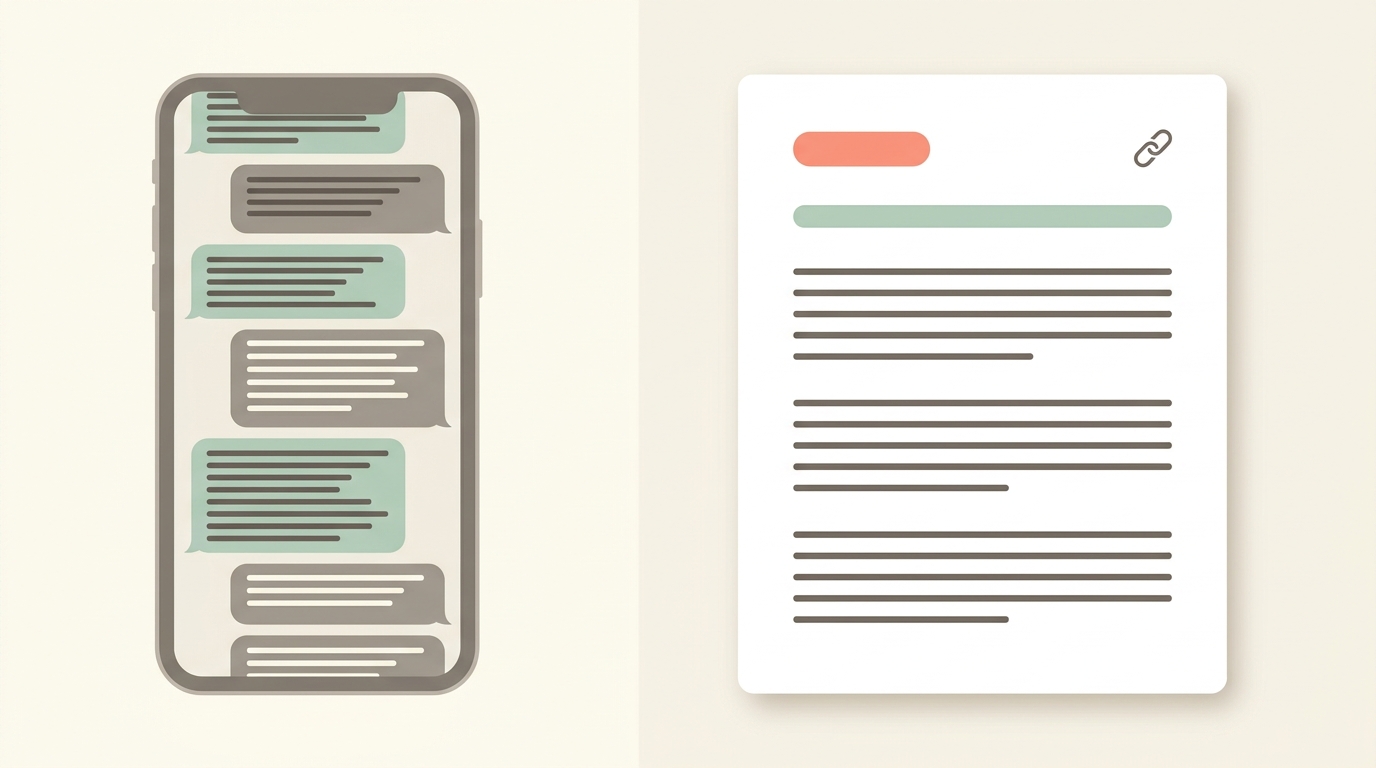
Have you ever spent an hour carefully writing a long explanation or heartfelt message in your notes app, copied it into LINE, hit send, saw the “Read” receipt pop up—and then waited two whole days with zero reply?
Before you start wondering if your writing was unclear or if the other person simply doesn’t care, take a breath. Most of the time, the problem isn’t your content, and it isn’t their attitude. Chat windows were simply never designed to carry long-form text.
The moment you hit send, three quiet structural mechanisms start working against your message.
1. What Fits on the First Screen Decides Whether They Scroll
Chat apps are built from the ground up for quick back-and-forth exchanges like “On my way,” “Got it,” or “Give me five minutes.”
When a long message arrives, the screen only shows the first few lines. Anything longer gets collapsed behind a “Read more” fold that requires an extra tap. That means the key point you carefully built up to in your third paragraph literally does not exist to the reader until they decide to tap.
Even trickier is the psychology of the “Read” receipt. The moment someone opens the chat and glances at the screen, the notification disappears, the unread badge vanishes, and their brain quietly files it under “handled.” Even if they think, “That’s long, I’ll read it properly later,” the next task or notification pulls them away—and the system has already marked it done. That is how so many long messages end up as “Read, and then nothing.”
If you have to send something important through a chat app, a few practical habits help:
- Make the first message “one sentence + one link”: Instead of dumping the whole text into the chat box, write one clear line explaining why it matters to them, and attach a link.
- If you must paste the full text, put the conclusion on line one: Skip warm-up openers like “So here’s the thing…” and place the main takeaway or request right in the first three visible lines.
- Pull out the question you need answered: Don’t bury your question in paragraph three. Send it as a separate, short final message so they immediately see what you need from them.
2. All Your Formatting Vanishes in a Chat Window
In a notes app or document editor, you probably took care to structure your thoughts with headings, bullet points, quotes, and breathing room between paragraphs. The second you paste that into LINE, all of it collapses into a single, dense wall of plain text.
It’s nobody’s fault—chat software simply doesn’t have a content model built for document structure. For the reader, though, it creates three very real problems:
- Impossible to skim: Without headings or lists, the reader can’t spot the key points at a glance. They either force themselves to read every word from top to bottom, or decide to skip it for now.
- Awkward to quote: If they want to reply to one specific sentence in your third paragraph, they can’t highlight or comment inline. They have to take a screenshot, draw a circle, or copy a huge block and manually trim it.
- Hard to find later: Three days later, when they need to double-check a detail, they have to scroll endlessly past stickers, casual banter, and unrelated replies just to locate it.
Whenever your content has structure, a chat room is the wrong container. And this has nothing to do with word count—even a 500-word note with headings and a checklist turns into an unreadable block once pasted into a chat.
3. A Message’s Lifespan Is Shorter Than You Think
A chat room is like a fast-moving river. Where your message sits depends entirely on how many new messages arrive after it. In an active group chat with hundreds of messages a day, your carefully written long text sinks out of sight in half an hour.
Beyond getting buried, chat messages also disappear in quieter ways:
- Switching phones or reinstalling the app: Local chat histories don’t always carry over completely if backups aren’t intact.
- Accidental deletion or clearing storage: One tap to free up phone space can wipe out attachments and old threads.
- Unsending: LINE has a strict time limit for unsending messages (many people assume they can retract a message anytime, only to find out it’s too late).
- Account deactivation or blocking: Once an account status changes, that conversation history may no longer be accessible.
Put simply: a chat room is a place for conversation, not for delivering documents. The expectations are completely different. Casual conversation allows you to miss a line here and there; delivering important information does not. When you put something meant to be read in full into a space designed for skimming and forgetting, getting overlooked is almost guaranteed.
So How Should You Send It? Match the Tool to the Moment
Not everything needs to move out of chat, of course. Depending on what you’re sending and how long it needs to last, you can divide it into three simple cases:
| Situation | Best Tool | Trade-off |
|---|---|---|
| A quick one- or two-line update | Chat app | Almost none |
| Documents meant for long-term reference | Cloud docs | Permission setup, permanent copies, requires login |
| A one-time long read for one person | Single-page link | Reader has to tap once to open |
The third option—a single-page link—has matured nicely in recent years: you turn your long text into a clean, dedicated web page and hand over one short link.
When the recipient opens it, they get full, comfortable formatting with zero sign-up and no permission requests. Meanwhile, you can add a reading password, set it to expire after a few days, or even enable burn-after-reading so no permanent copy lingers.
In the interest of transparency: Mountos built a tool for this called INKEEK. Its approach is straightforward—one link, optional reading password, customizable lifespan and view limits, and reading pages that are never indexed by search engines. It is built for “this is only for the right person to read” moments, not for permanent archiving—the fact that it disappears is a deliberate design choice, not a flaw.
Next time you finish writing a long note and are about to paste it into a chat window, pause for one second and ask: does this belong in a fleeting conversation, or in a calmer container that won’t swallow it? Pick the right format, and you won’t have to guess whether they actually read it—and they’ll have a much easier time reading what you wanted to say.
Further reading: The Tape That Burned After Listening: INKEEK Brings Private Long-Form Writing Back to “Only for the Right Eyes”
Support Independent Perspectives & In-Depth Insights
Every thoughtful analysis and candid critique comes from our dedication to truth and quality. We choose not to follow sensational algorithms or clickbait headlines.
Sustaining independent research requires reader support. Make a one-time or monthly contribution, securely processed by Google.
Payments secured by Google · Manage or cancel anytime in your Google Account

Comments